
Choosing an Anti-Blue Light Screen Protector sounds simple until product claims start to blur together. One package promises “maximum protection”; another lists a reduction percentage without explaining how it was measured. Look beyond the headline. Check the stated wavelength range, visible-light transmission, screen clarity, and whether the protector fits your exact device. Small details matter.
Ophthalmologist Dr. Rahul Khurana, an American Academy of Ophthalmology spokesperson, has said: “There is no scientific evidence that the light coming from computer screens is damaging to your eyes.” That perspective helps keep expectations realistic. A screen protector may filter some blue-violet light, but it should not be treated as a proven cure for eye strain or a substitute for breaks, comfortable lighting, and sensible screen habits. The evidence is not a sales slogan.
Think about the room where you use your device. A strongly tinted film may look distracting on a bright laptop, while a glossy surface can catch the window behind your desk. Matte coatings may cut reflections, but they can soften fine text. Check the product’s tested specifications, installation method, touch sensitivity, and return terms. If possible, compare the display before and after fitting it. Your eyes may feel more comfortable—or they may not. That uncertainty matters. The best choice is the one that suits your screen, daily use, and visual comfort, without promising more than the evidence supports.
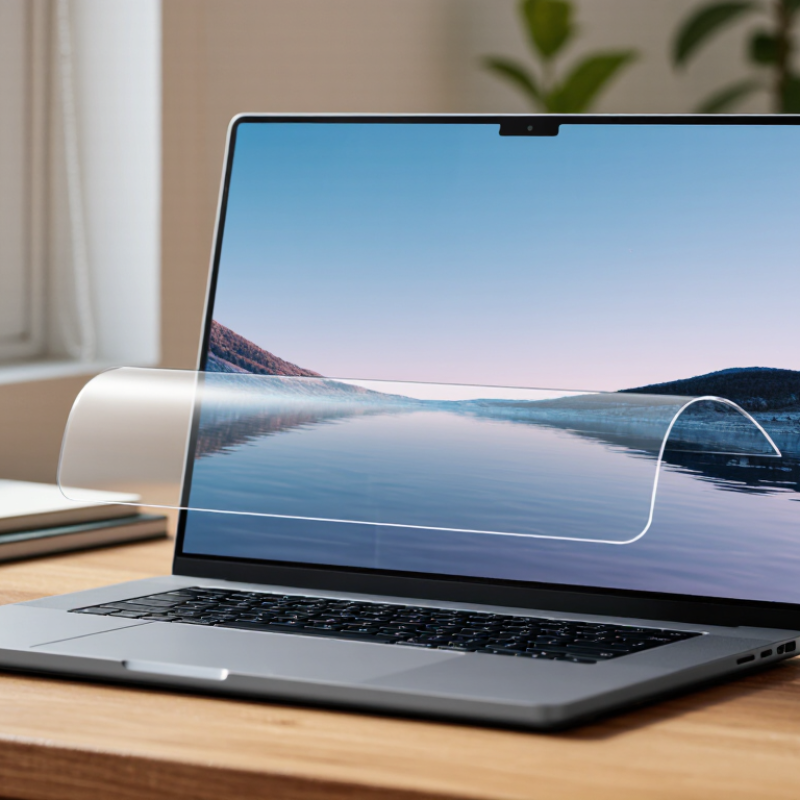
An anti-blue-light screen protector changes the light reaching your eyes. Some use pigments within the film to absorb selected wavelengths; others use optical coatings to reflect part of that light. The filter is selective, not a blackout curtain. A protector may reduce transmission in a stated band, but the percentage depends on the wavelengths measured and the test method. Check for an independent spectral-transmission report, not just a broad “blue-light reduction” claim. A yellow tint can be a visible clue, though color alone cannot confirm performance.
The evidence needs careful reading. A 2023 Cochrane review assessed 17 randomized trials involving 619 adults and found blue-light-filtering lenses may not reduce short-term computer-related eye strain. These were lenses, not screen protectors, so the findings do not directly test every film. Still, they caution against expecting a filter to solve dry, tired eyes by itself. Screen use also means fewer complete blinks and long periods of close focus. That matters.
Look closely at the display after fitting a protector. Whites may look warmer, and fine text can appear slightly softer, especially with a matte surface. A small trade-off. Compare the protector’s measured transmission range, clarity, and fit around the screen. If discomfort continues, adjust brightness, take viewing breaks, and consider professional advice rather than relying on the filter alone.

Before comparing anti blue light screen protectors, identify your exact device model and screen size. Two tablets can look nearly identical yet differ by a few millimeters. Check the model in your device settings, then compare it with the protector’s compatibility list. Measure only as a backup; camera cutouts and rounded edges can make a close fit surprisingly tricky.
Now check the screen itself. Is it flat or curved? Does it have an LCD or OLED panel, a matte finish, or an under-display fingerprint reader? These details affect fit and everyday use. A thick protector may interfere with touch response or fingerprint recognition. Matte films can reduce glare, but they may also make text look grainier. That trade-off matters.
Look closely at the top edge, too. Note the selfie camera, speaker slit, and any sensors before choosing a cutout style. A protector that covers a sensor can cause dimming or call-screen problems. Small details count. If you are unsure about the screen type, consult the device manual or settings rather than guessing from its appearance. Blue-light filtering claims vary, so confirm that the product is designed for your screen and does not noticeably distort colors. Some tint is normal; whether it bothers you depends on how you use the device.
When choosing an anti-blue-light screen protector, compare its measured filtering range with its effect on clarity. A percentage alone can mislead: ask for a spectral transmission curve showing which wavelengths are reduced, and by how much. Check the curve. A strong tint may alter whites, skin tones, and color-critical work. Look closely at small text, too. Fine letters should stay crisp, without haze, rainbow edges, or visible grain.
Independent evidence can help set realistic expectations. A 2023 Cochrane review examined 17 randomized trials involving 619 adults and found that blue-light-filtering lenses probably make little or no difference to short-term eyestrain. Those trials studied lenses, not screen protectors, so they cannot settle every claim about films. Still, they are a useful caution against treating a high filtering figure as proof of comfort. Compare the protector’s published test results, then view a white page and a dark image at your usual brightness. I would also check the display from the side; some films look clear head-on but soften detail at an angle. A little color shift may be acceptable, but it deserves an honest look before purchase.
A good anti-blue-light screen protector must match the exact device model, not just its advertised screen size. Compare the camera, speaker, and sensor cutouts before buying; even a small mismatch can block a front-facing sensor. Leave room for the case edges, too. A protector that looks centered on a bare phone may lift once a case presses against it. Check the seller’s fit diagram against your device, then inspect the glass under bright light for chips or uneven edges. Measure twice.
Installation matters as much as fit. Clean the screen with the included wipe, remove dust with a sticker, and apply the protector in a low-draft room; one visible speck can create a stubborn bubble. Ask whether the product has independently tested blue-light filtering and clear test results, rather than relying on vague percentages. A 2023 Cochrane review examined 17 randomized trials involving 619 adults and found that blue-light-filtering lenses may not reduce short-term eye strain. That review concerned lenses, not screen protectors, so the evidence should not be stretched. Check durability claims carefully: look for stated scratch or impact test methods, and remember that a hardness rating does not guarantee protection from every drop. Edges take the first hit. Replace a protector with cracks or lifting corners; I’ve seen tiny flaws spread faster than expected.
This checklist counts practical points to verify before buying: device-model fit, screen and case compatibility, installation guidance, and durability details. The bars show checklist items—not product test results or ratings.
How to Choose the Best Anti Blue Light Screen Protector
Choose a Protector for Your Viewing Habits
Choose a protector for your actual routine, not its biggest blue-light-blocking claim. DataReportal’s Digital 2024 Global Overview Report estimates that internet users aged 16–64 spend an average of 6 hours and 40 minutes online daily worldwide. That includes many activities and devices, not continuous screen viewing. Still, it makes everyday comfort worth considering.
For laptop documents or late-night reading, look for a clear, low-glare protector that keeps text sharp and colors natural. Check its light-transmission and reflection specifications, then view a sample under your usual room lighting. Strong amber tint can make white pages look yellow. Easy to miss. For phone videos, prioritize a precise fit, responsive touch, and easy cleaning. Check that the filter covers the display edges, too.
Pew Research Center’s 2024 mobile fact sheet reports that 91% of U.S. adults own a smartphone; ownership, however, does not show how long people use one. Avoid choosing by blocking rate alone. Test the display during work and evening use. The American Academy of Ophthalmology notes that blue-light filtering has not been shown to prevent digital eye strain. A protector cannot correct tiny text, dry eyes, or glare from a nearby lamp. One limitation: product specifications rarely explain how a filter performs in your room.
| Viewing Habits | Protector Type to Consider | What to Look For | Possible Trade-Offs | Practical Tip |
|---|---|---|---|---|
| Mostly daytime use for work, reading, or browsing | Clear, low-tint filtering protector | Even screen clarity, low reflection, and published information about light transmission across wavelengths | Filtering performance differs by product; a clear appearance alone does not show how much light is filtered | Compare the product’s wavelength or transmission data rather than relying only on terms such as “blue-light blocking.” |
| Frequent use in a bright office or near windows | Clear protector with an anti-glare or matte finish | Reduced reflections, a surface compatible with your display, and touch response suited to your device | Matte finishes can make fine details look slightly less sharp and may alter screen texture or contrast | Check whether the finish is designed for your screen and consider testing it before applying it permanently. |
| Long evening viewing in a dim room | Lightly tinted or amber-toned filtering protector, if color accuracy is not essential | A tint level you find comfortable and clear information about the product’s filtering range | A visible tint can shift colors, making photos, video, design work, and color-coded content less accurate | Use the device’s night or warm-color display setting as another option; either approach may change how colors appear. |
| Photo editing, illustration, video work, or other color-sensitive tasks | Clear protector with minimal visible color shift | Color neutrality, low distortion, and a documented description of the filter’s effect on visible light | A strongly tinted protector may make it harder to judge colors accurately | Temporarily disable color-changing display settings when checking color-critical work, and assess the protector under your normal lighting. |
| Reading text or browsing on a touchscreen for extended periods | Clear or lightly tinted protector matched to your display | Legible text, smooth touch response, suitable dimensions, and compatibility with the device’s case | Some protectors add glare, reduce clarity, or interfere with touch sensitivity if poorly matched or installed | Confirm the exact device model and follow the installation instructions to reduce bubbles, dust, and edge lifting. |
| Shared device use by people with different color preferences | Clear protector, with color or brightness adjustments made in device settings when needed | Neutral appearance and settings that can be changed without replacing the protector | A clear protector may have less noticeable tint-based filtering than an amber option | Choose the least intrusive screen change that works for everyone who uses the device. |
| Outdoor use or frequent travel | Protector selected for glare, durability, and device fit; filtering is a separate consideration | Useful reflection control, appropriate surface durability, and compatibility with the screen and case | Blue-light filtering does not necessarily improve visibility in sunlight; a matte surface may affect image sharpness | Prioritize readability in your environment and compare glare performance separately from filtering claims. |
Selection note: Anti-blue-light claims and testing methods can vary between products. A screen protector should not be assumed to prevent eye strain or improve sleep. For visual comfort, also consider taking regular breaks, reducing glare, adjusting screen brightness to the room, and using a comfortable viewing distance.
“Establish the work of our hands”
Psalm 90:17b